p5.js as a tool
For this unit brief, Methods of iterating, I decided to explore p5.js, a creative coding software that uses Javascript to draw images, video or any creative practice, as my tool and discover unexpected knowledge and technical challenges through critical examination and comprehensive analysis.

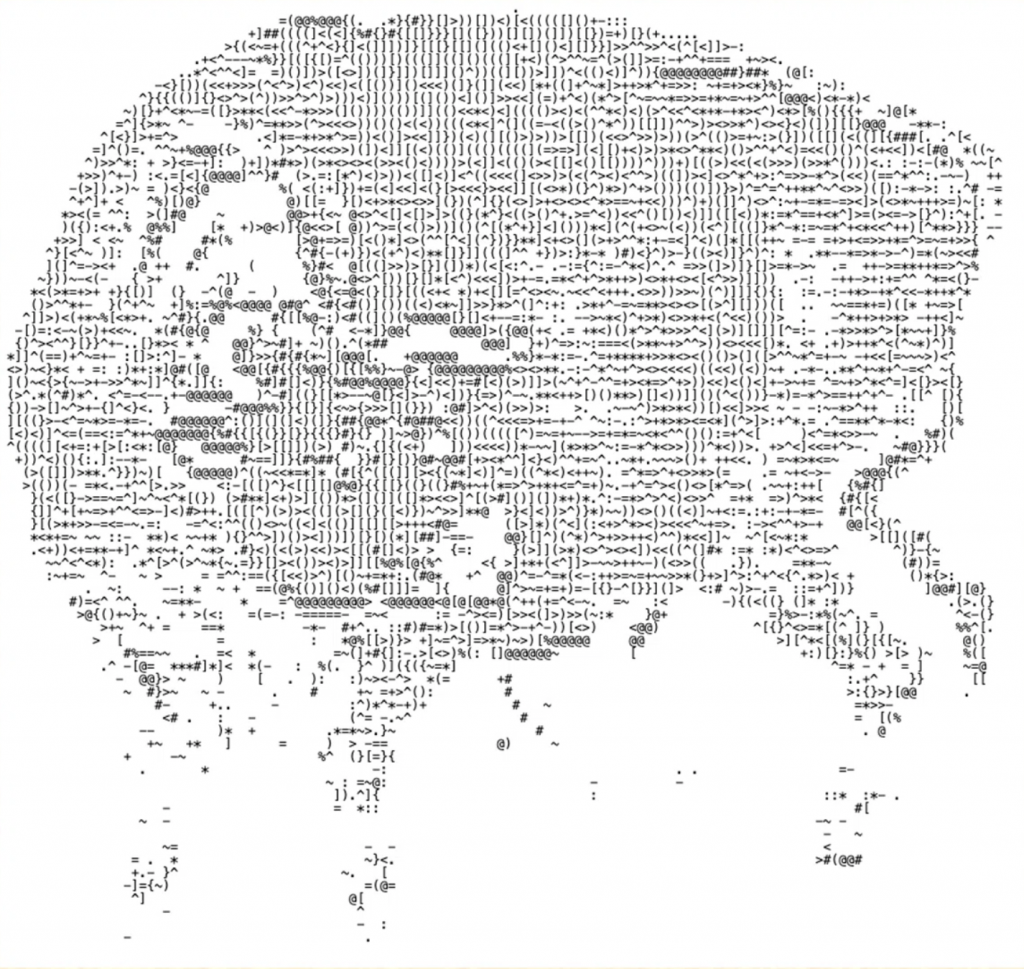
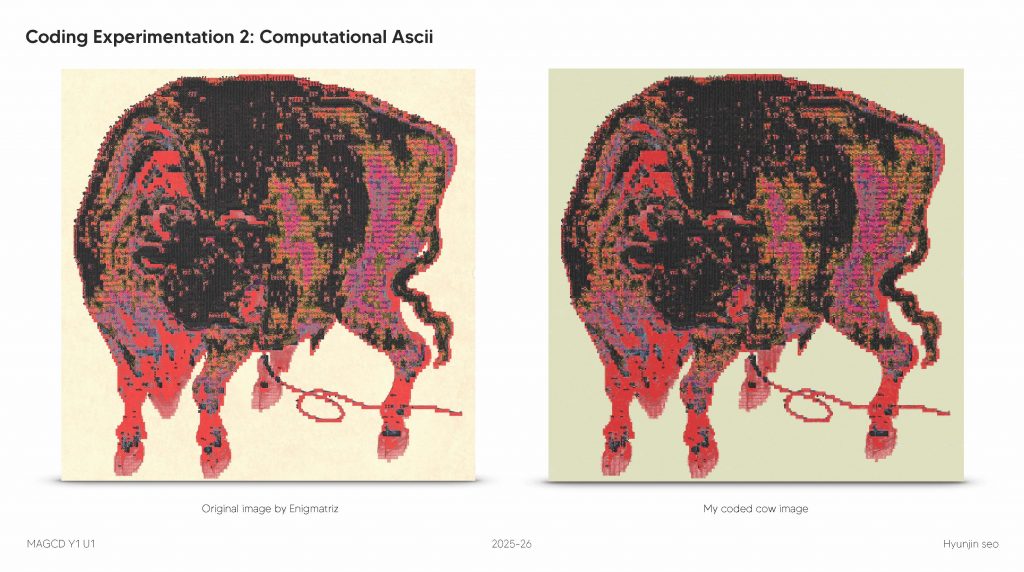
I started this process by recreating an ASCII drawing by Enigmatriz with p5.js.
About Enigmatriz
Enigmatriz is a digital artist who combines the glyphs, code, characters and symbols of the average keyboard into a plethora of imagery in imaginative collages.
Two images to recreate:

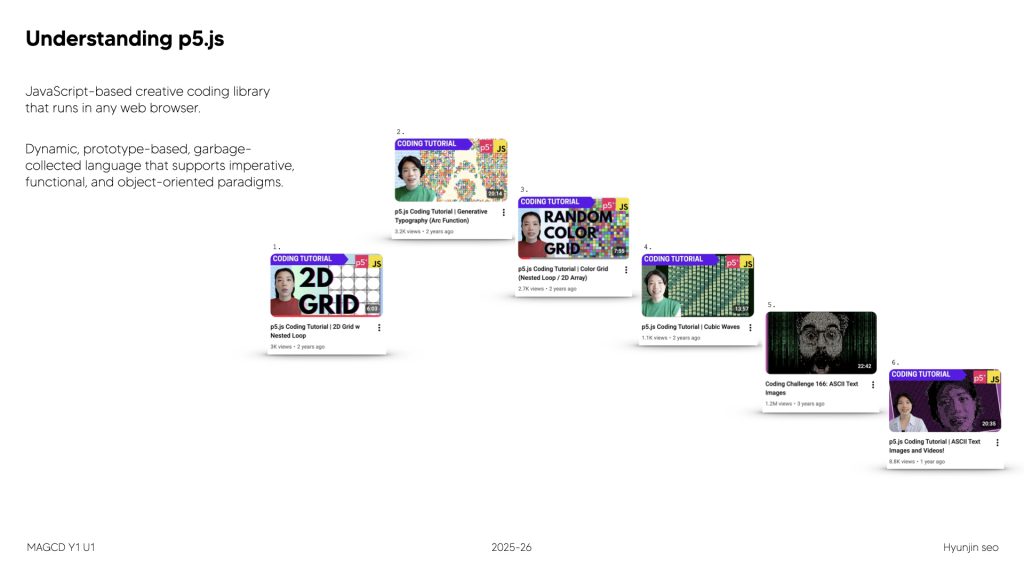
I started to learn the program through various YouTube tutorials and archives that p5.js has uploaded on their website.
Then, I started to try the actual coding.
At the beginning, I did not fully understand how to upload an image and translate it into ASCII using code. Instead, I manually typed each ASCII character line by line:

As a result, the image began to appear not only in the preview window, but also as text within the code editor itself.
To support this process, I created my own system with two methods:
- either completing a section before checking accuracy, or repeatedly testing the code in smaller increments.
- In both cases, I compared the output against the reference image and physically marked my progress.

After entering the code, I scribbled red lines over the reference image displayed in the adjacent window to mark what I had just typed.
Without realising it, I was approaching the web software in a highly human-centred way. Instead of instructing the computer to position each letter, I was trying to control the placement myself.
Knowledge gained at this stage

I inserted the fully hand-typed ASCII code into CSS and HTML environments to observe how the same instructions would behave across different systems. Although the code remained technically identical, the visual outcome changed: characters that appeared yellow in JavaScript were rendered in different colours in CSS/HTML, altering the tonal values of the cow image. Certain symbols, such as @ and #, suddenly became highlighted by the syntax rules of the browser.
This revealed that the image was not only produced by my input, but also by the interpretation rules of each software environment. The “image” therefore did not exist as a fixed visual object, but as a negotiated result between instructions and platform.

I also discovered that when writing // as a comment in JavaScript, the notes were not applied to the preview window. The system recognised the line as instruction about the code rather than instruction for the image. This exposed a hierarchy inside the language: some text participates in image production, while other text exists only as meta-communication between human and machine.
Through this, I began to understand that coding is not simply a neutral tool for drawing. It is a conditional system that filters, prioritises, and interprets information. My earlier attempt to manually control every character conflicted with the nature of the medium — the computer does not execute intention, only rules.
As I worked, I realised that p5.js never operates through a single action.
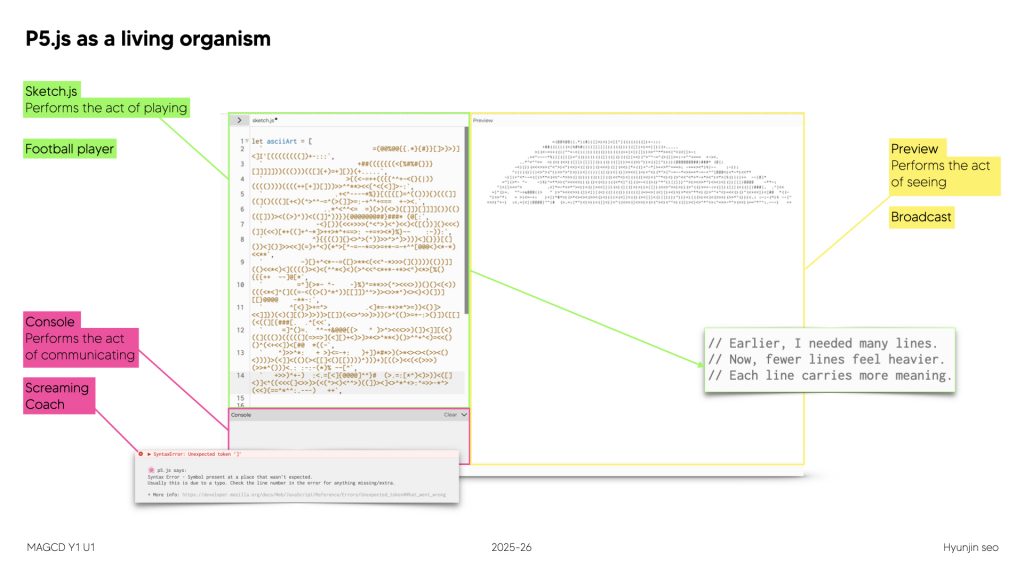
When I manually typed the ASCII characters and pressed the play button, the image appeared not only in the preview window but also inside the console text output. However, whenever the code contained an error, red underlines appeared and warning messages were generated in the console. The system followed a clear chain of behaviour: an error in the coding window → a warning message in the console → the program refused to run.
Multiple instances work together:
The interface is divided into functional zones: the sketch.js editor performs the act of making, the preview window performs the act of seeing, and the console performs the act of communicating. These separate instances interact and together produce an emergent outcome.
the code itself,
comments,
console feedback,
and the visual output.
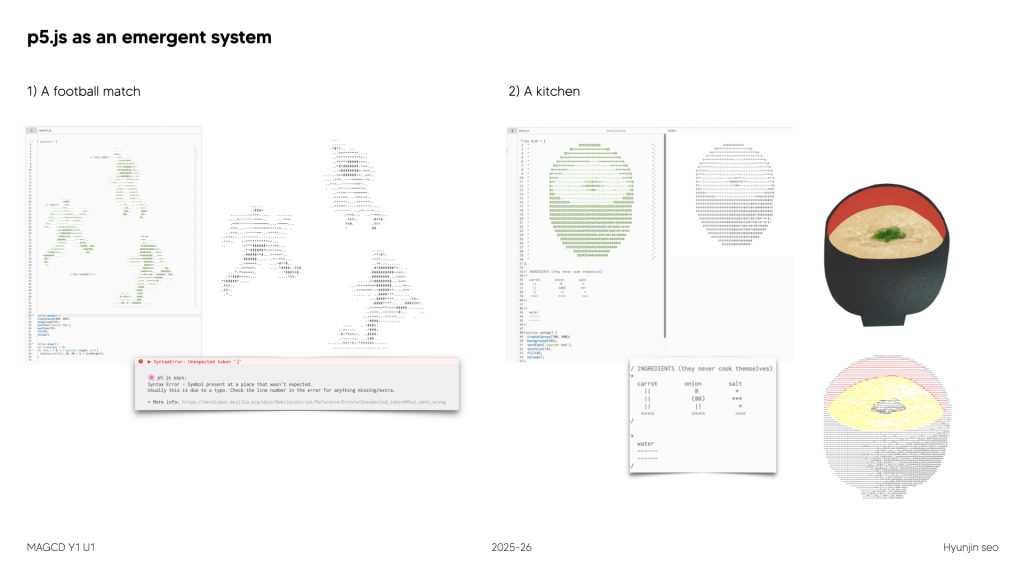
Together, these form an emergent system. I began to think of p5.js less like a static tool, and more like a living organism.
At different moments, I imagined it as 1. Football match, where the sketch is the pitch, the console is the coach, and the preview is the broadcast or as a 2. kitchen, where instructions, tools, and timing work together.
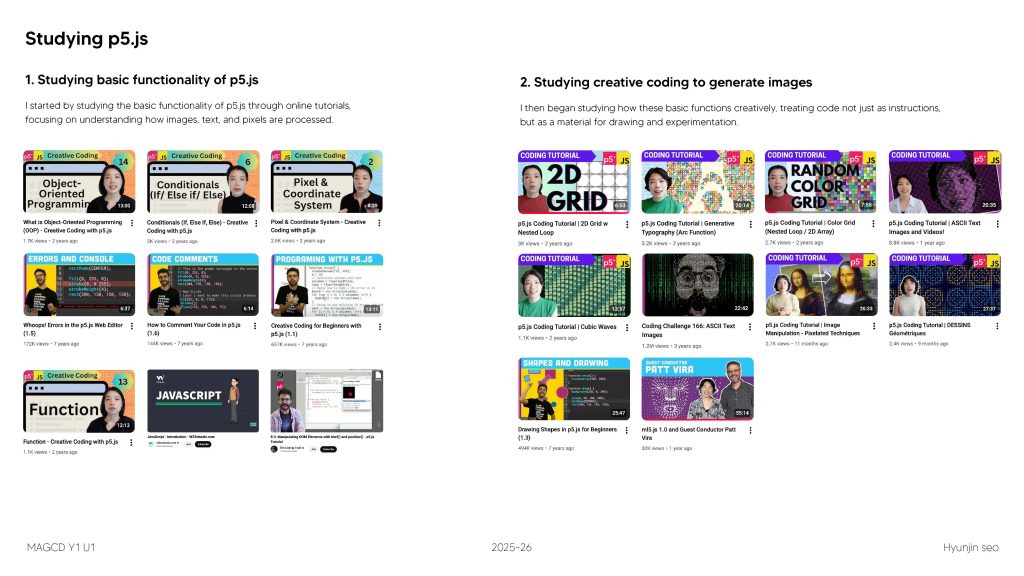
However, When I manually typed ASCII characters to recreate the same image multiple times, I received feedback that this approach was not considered “proper coding,” as it lacked automation. I began restudying the fundamental functionality of p5.js, focusing on how the system operates, and then moved on to creative coding studies.
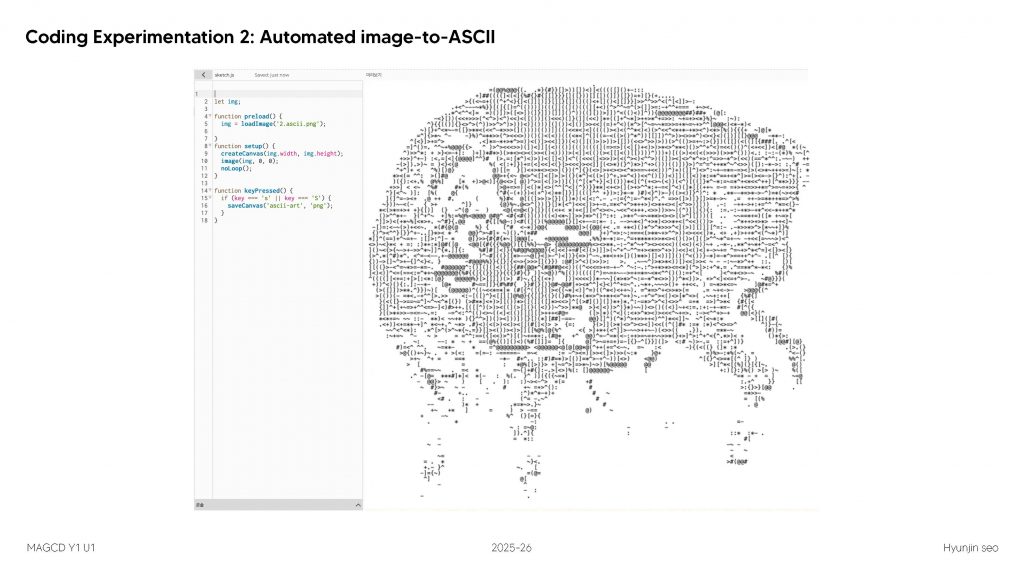
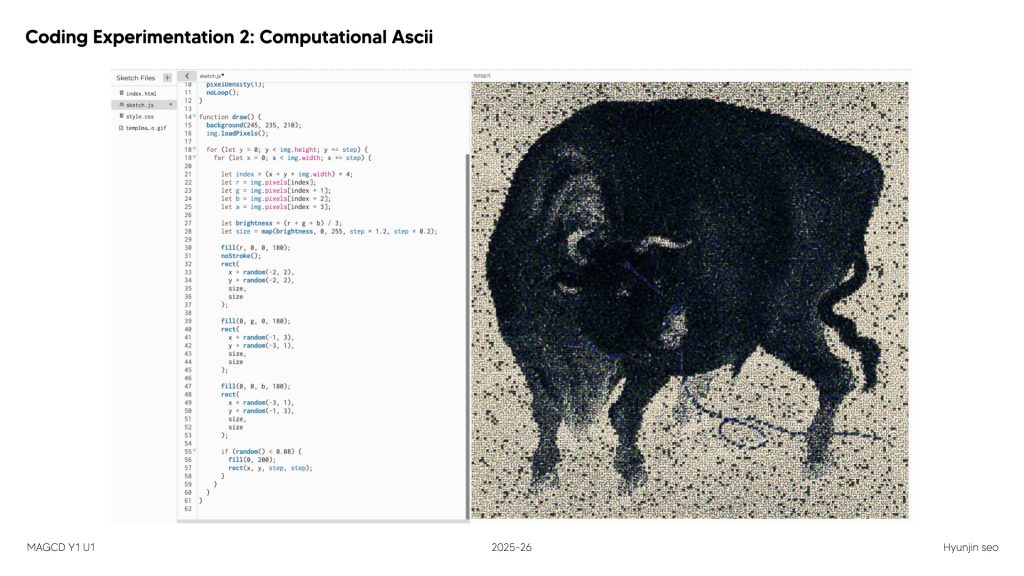
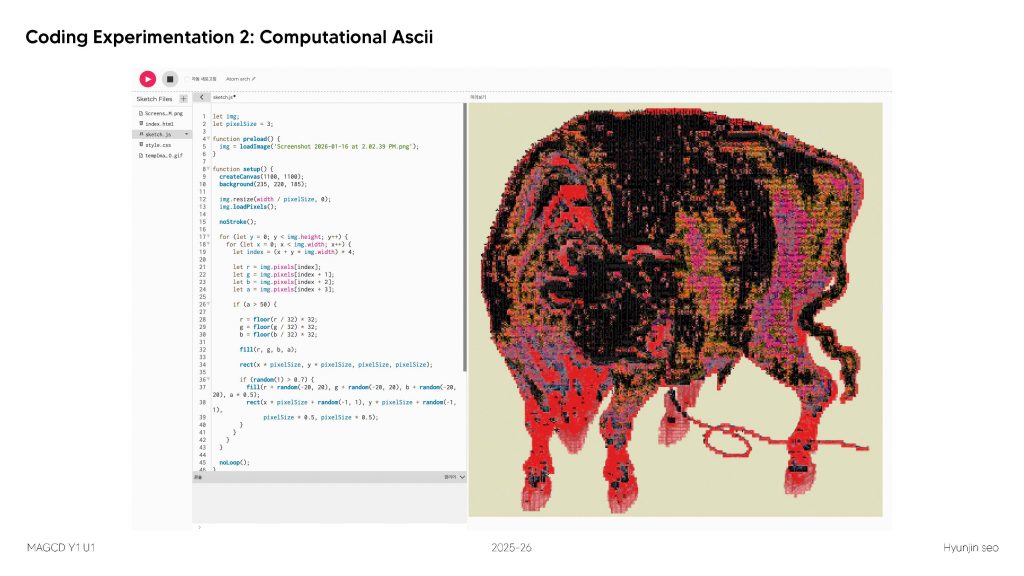
I then uploaded the original image itself and translated its pixel data into ASCII characters. Instead of manually placing each symbol, the computer analysed brightness values and assigned characters accordingly.
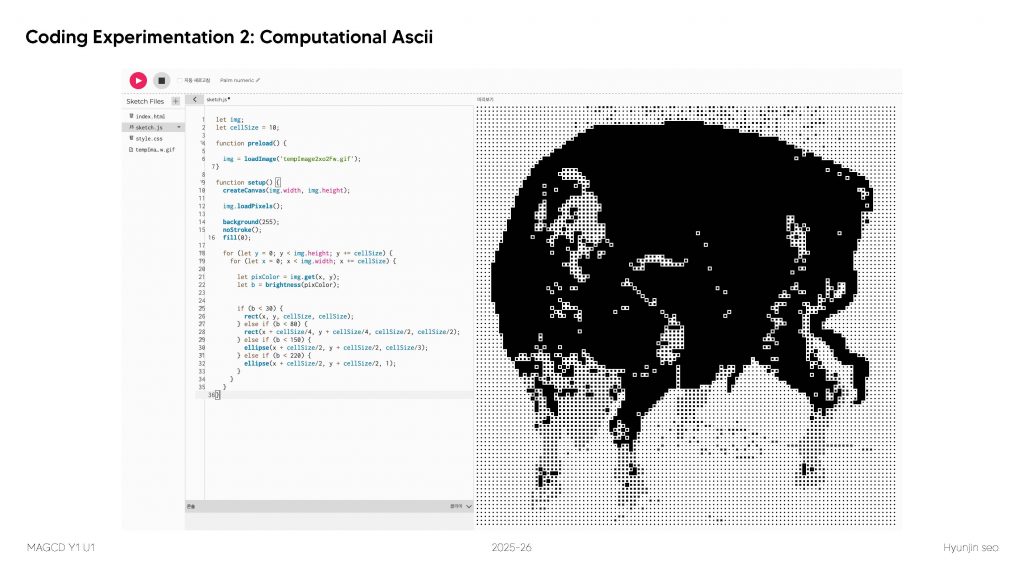
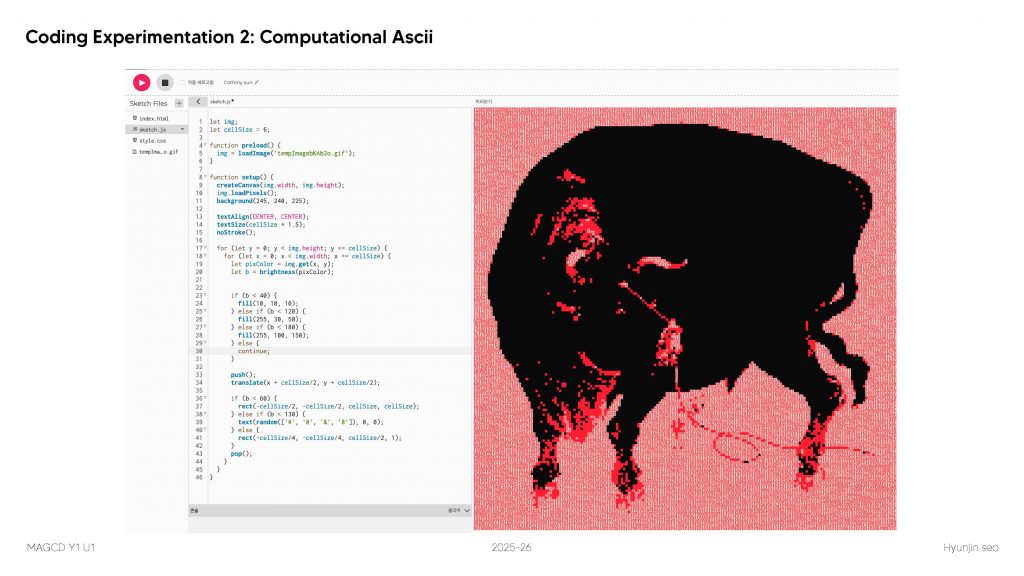
While working through these different approaches, I began to question what coding actually means. I decided to explore this concept further for the upcoming weeks.
Leave a Reply